MASTERCLASSES

Wednesday, 10 August 2011

Wednesday, 3 August 2011

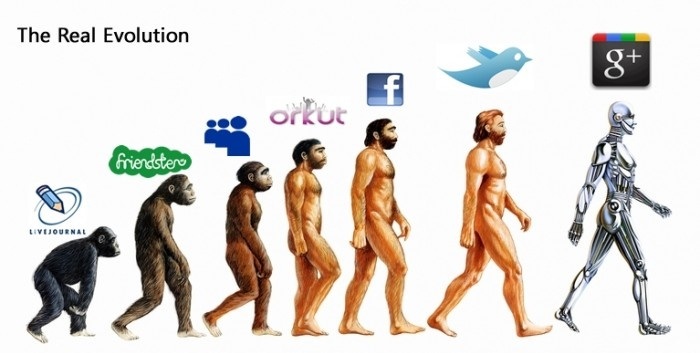
The journalist's essential guide to getting started with Google+


Can Google+ become the number one social network?

Because that's what it has to do if it is to succeed

Which means it must supplant Twitter and Facebook

So will it?


It's very early days, but first indications are promising.
Google has a couple of heavy defeats behind it - Buzz failed to take off and Wave has been canned.
So it's wise to be cautious about Google+ for now.

But it's certainly worth experimenting with Google+ to see how you like it.

One indication that Google+ could take off is the enthusiasm with which developers are creating Google Chrome extensions that, when applied to it, improve its performance and expand its functionality.
It's reminiscent of the way loads of smart minds invented apps for the iPhone and cemented its place as the premier tool for mobile journalism.

If things continue the way they have in Google+'s first few weeks, it could become the premier platform for social journalism.

Along with the extensions, there is plenty of advice out there about how to get started with Google+ and develop your skills in using it.
I've tried here to distill what I consider to be the best of that advice into - for now - a few screens that focus on quickest, easiest ways to build your Google+ presence and get working with the app.

We'll return to Google+ for a full MMJ Masterclass in a little while - if it lives up to its early promise.


Next: Get an invite, invite others, get help

Friday, 29 July 2011

How to really make your journalism work on Facebook


When I’m teaching social media I find the first hurdle is that many journalists are suspicious of it as a publishing platform.


They get Twitter, but with Facebook they’re not so sure. It's just too social for them, too much about friends sharing stuff that's very personal to a small circle.

But I think it’s a great platform. Here’s why.

Facebook is beginning to move down the Web 3.0 route that underpins our interest, as journalists, in social media, and which is covered in depth in Masterclass 2 of MMJ.
I talked there about how readers were creating personalised news stands of the material they were interested in.
That's exactly what users are able to do with Facebook.

On Facebook, users can become fans of us, of our content, and welcome our Facebook publishing stream onto their own news feed page.

There, our content is delivered alongside material from their own social circle.
The result is a hybrid of personal communications from friends and material from organisations that an individual likes, enjoys, values, and wants to follow.

So Facebook is a very special place, and a very significant one for journalists to work in.

But we need to learn how to use it most effectively.
I posted an introduction to Facebook here If you are a subscriber to MMJ you can check it out, to become a susbcriber, buy the textbook, in ebook or paper form, here
I won't go over that ground again, but try to give an overview of the latest advice and thinking about optimising Facebook for journalism.
One key thing.
Keep your personal Facebook presence separate from your journalistic presence. I have separate accounts, so there is a complete separation. Others simply create a page for their journalism on their existing account. 

Next: Top tips. Guidance for journalists from Facebook

Wednesday, 27 July 2011

Four journalistic things to do this summer - for when doing nothing is just too much effort


These are the latest additions to MMJ free Journalism Summer School.
Hopefully they'll give you stuff to do on the rare occasions you want to engage your brain in the coming weeks.
How's your social media clout? Comparing Klout, TweetGrader, Post Rank, Peer Index and Twitalyzer: http://www.multimedia-journalism.co.uk/node/1880
How to use Sina Weibo to leap the Great Firewall of China: http://www.multimedia-journalism.co.uk/node/1886
Want a job? You need to sell yourself online with a really impressive CV, resume or portfoliohttp://www.multimedia-journalism.co.uk/node/1891
How to create multimedia timelines and visualisations - with no coding or graphics skills: http://www.multimedia-journalism.co.uk/node/1900

Tuesday, 26 July 2011

How to create multimedia timelines and visualisations - with no coding or graphics skills

OK, you could learn Flash and Photoshop

But life's too short

So what multimedia journalists need are simple, free software applications that take all the technical stuff out of creating timelines and visualisations.
We need to be able to combine text,  images, video and audio, and root all that information into a timeline that is easily embedded in our websites or blogs.

We'll take a look here at two applications that give us everything we need: Dipity and Vuvox

I've trialled them both, seeing how easy they are to use, and how much they can do for us.
They're both great. But they aren't the same.
So I created a timeline on the Murdoch crisis in each for comparison.

If you want to build  timeline fast, Dipity is perfect:


If you want a higher level of design, Vuvox is the answer:


Next: how to use Dipity to create a multimedia timeline fast

Friday, 22 July 2011

New: affordable smartphone apps for small businesses


We specialise in creating professional smartphone apps for small businesses – and at a fraction of the cost you’ll be quoted by web developers.
Why would your company want an app?
Many of your customers own smartphones. Around 30 per cent of mobile phone owners now have these web-enabled devices, and will be very comfortable receiving streams of information on them, via apps.
The service we provide
Our apps are entirely tailored to your company, rendered in your corporate colour palette, and featuring your logos and other artwork.
Your app’s content can be anything you like
We can draw into it feeds of your own content, from your press releases, email bulletins, blogs and  – where appropriate – company intranet.
We can add in Twitter – either running tweets from one account or combining several from key members of your team into one Twitter stream.
The app can carry the full range of multimedia. If you have video or audio content, that can be added to the mix.
And if you would like to bolt on a stream of real-time news that is relevant to your clients, we can do that too.
If you subscribe to a targeted business news service, we can add that. Or we can create such a service for you, from the news sources you specify.
Our apps are incredibly low maintenance. Because they are populated principally from automated RSS feeds, you can pretty much leave them to run themselves.
But if you have items you want to add, you can do so at any time using QuickPost, a simple, instant, web-based posting form. Or we'll do it for you.
How do we do it?
We can do this, with all the rich content described, and at such a competitive price, for two reasons.
One is that we use a publishing platform from USA company GenWi that allows us to build your app relatively quickly and easily. We don’t need to employ programmers to slave over coding, or designers.
The other is that we are highly experience content-creators with 20 years experience in national newspaper and web journalism.
So we know how to build content fast, and help you get your message – and your information – across most effectively.
Who are we?
Your account will be run personally by me, Andy Bull. I’ll create your app and work with you until sign-off. We also have a range of freelance associates – both companies and individuals – who we can call upon if you require additional services.
You’ll find an example of one of our apps here: http://multimediajournalism.isites.us
or here:
 
Where your app will be published
It will be accessible as a native app on iPhones, smartphones using the Android platform, and as a web app created in HTML5, and hence accessible from most other mobiles. It can also be made available in the iTunes and Android stores.
What it will cost you
Costs break into two
There is our fee for building and publishing your app. That’s an all-in, one-off £995 – priced to be affordable to small businesses.
Then there are the fees required by GenWi.
These are on a sliding scale, which you’ll find itemised here: http://genwi.com/pricing
But all you need to pay is $99 a month (about £60) for a fully-functioning app.
Your app will need very little maintenance, but we can monitor it for you if you like, for a nominal fee that we can discuss.
Some detail on the spec you get
Your app will have…
  • An icon that users click to access it, here’s an example:

  • A splash page – an opening screen carrying your company name, corporate logo or other graphical information. Here’s one:
 
  • A home page, displaying what you consider the most important information. That could be a news feed, other time-sensitive content, or whatever suits you and your clients. Here's one:
 
  • Up to six information feeds that appear as separate channels within the app:
 
  • A Twitter feed:
 
  • Content from blogging platforms such as Wordpress, Blogger and Posterous
  • Content from social media platforms such as YouTube, Audioboo, Flikr and Picassa
Need to know more?
If you'd like to discuss whether an app is right for you, and what content would be best for it, please get in touch, on email at andy@andybull.co.uk, or DM andybull on Twitter