MASTERCLASSES

Friday, 11 November 2011

How to build a Google+ page for your journalism


39E

This post is a preview of Masterclass 39: Building proficiency with Google+

You can find the full masterclass here
The Google+ page feature is fresh out of the box
It’s only been possible for a few days to create a professional presence on Google+
Facebook’s Mark Zuckerberg immediately charactarised it as a Facebook-inspired mini-me.
There’s some truth in what he says.
But what we need to decide is whether Google+ pages enhance the platform for journalism.
And they most certainly do.
It’s dead easy to set up a Google+ page for your journalism. So what’s to lose?
If the platform tanks, you wasted 15 minutes. If it succeeds – and I think it has to – you are in at the start of a great new social mechanism.
So here is a step-by-step guide to creating your Google+ page.
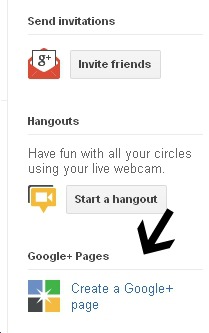
First, click the logo whcih I've arrowed on the right side of your page:
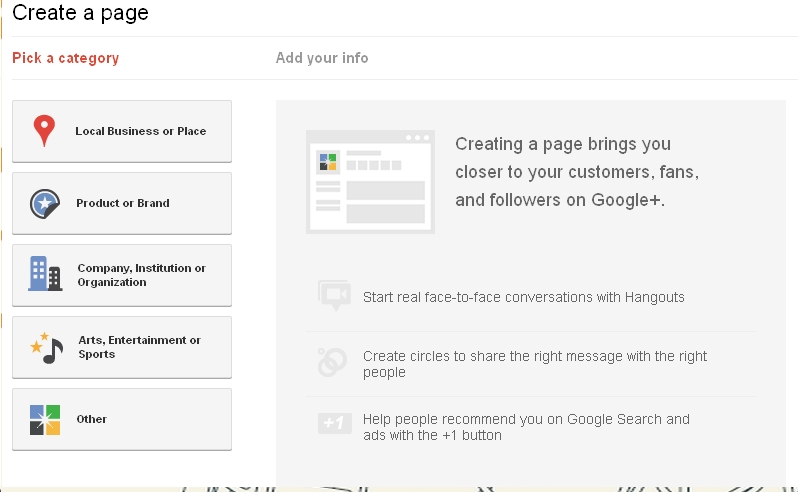
Select the category (you have to decide whether you and/or your journalism fits best under such headingss as product, brand or company:
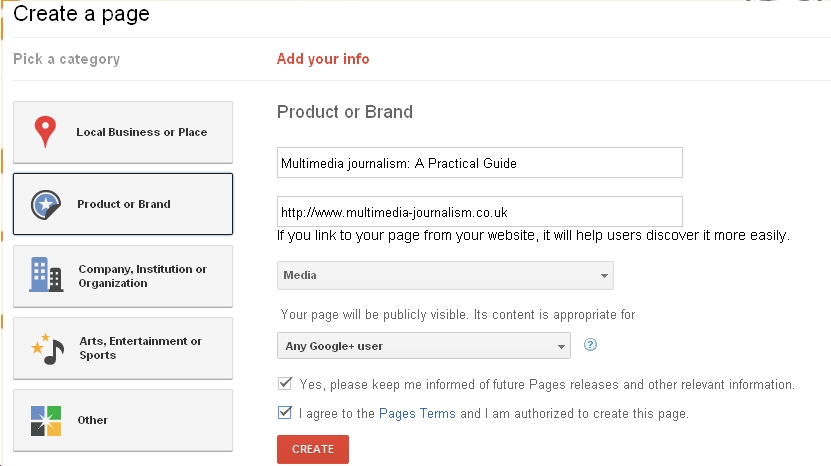
Add your info. You can link to your website at this point:
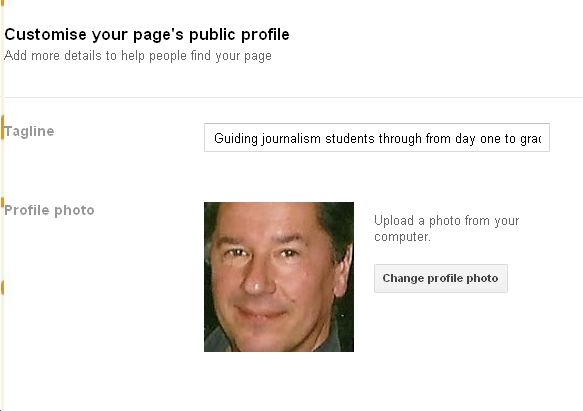
Once some whirring has taken place, you can add a tag line and a profile picture (see this module for how to customise your profile picture):
You get taken back to your page and you have this:
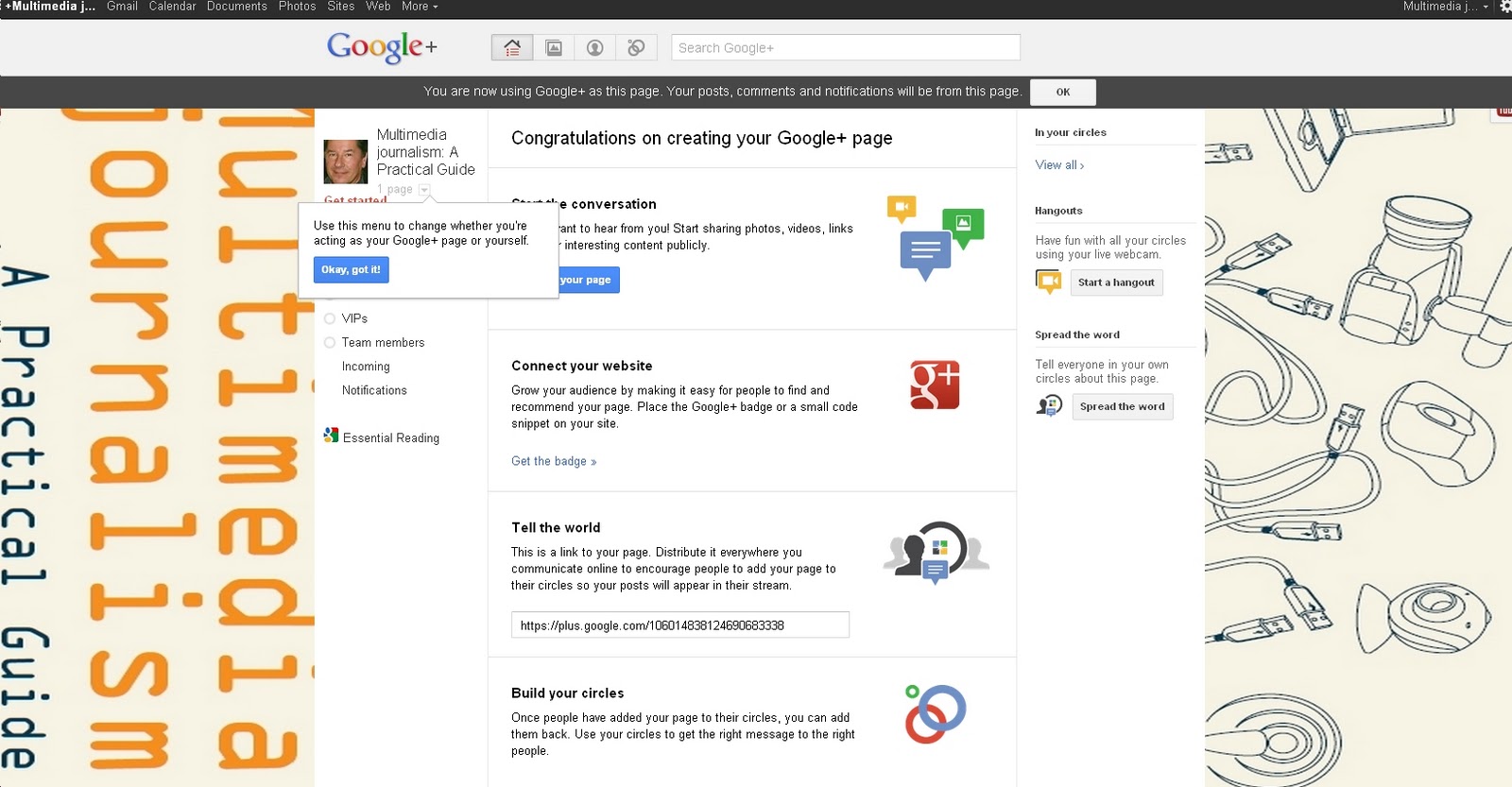
Here you can add information, promote and switch between using Google+ as yourself or as your page.
One thing to make clear: you now have two ways of using Google+ - as yourself or as your page - just as with Facebook you have your news feed and your page.
If you followed Masterclass 38 on building proficiency with Facebook, all of this will feel very familiar.
You can add a logo to your website to show you have a Google+ page:
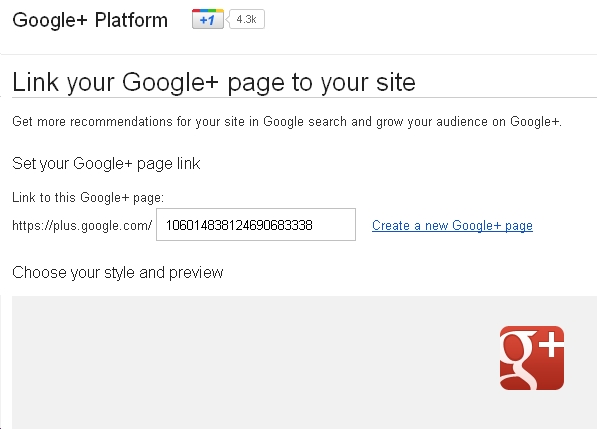
Add a post:
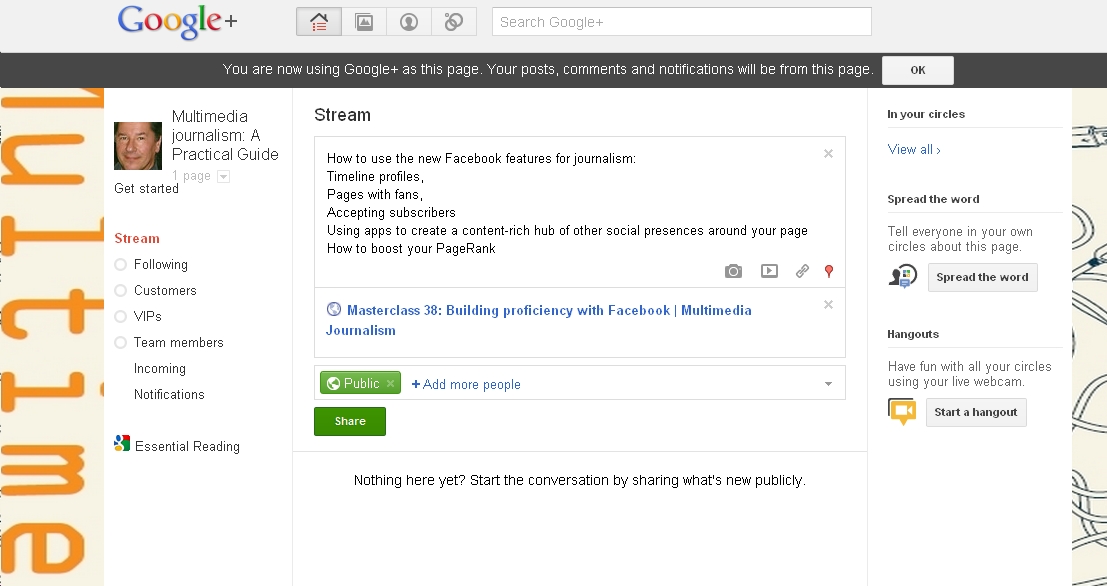
On the right is Share the word, .. where you can tell everyone in your circles about your new page.
Then you get to pimp your profile here:
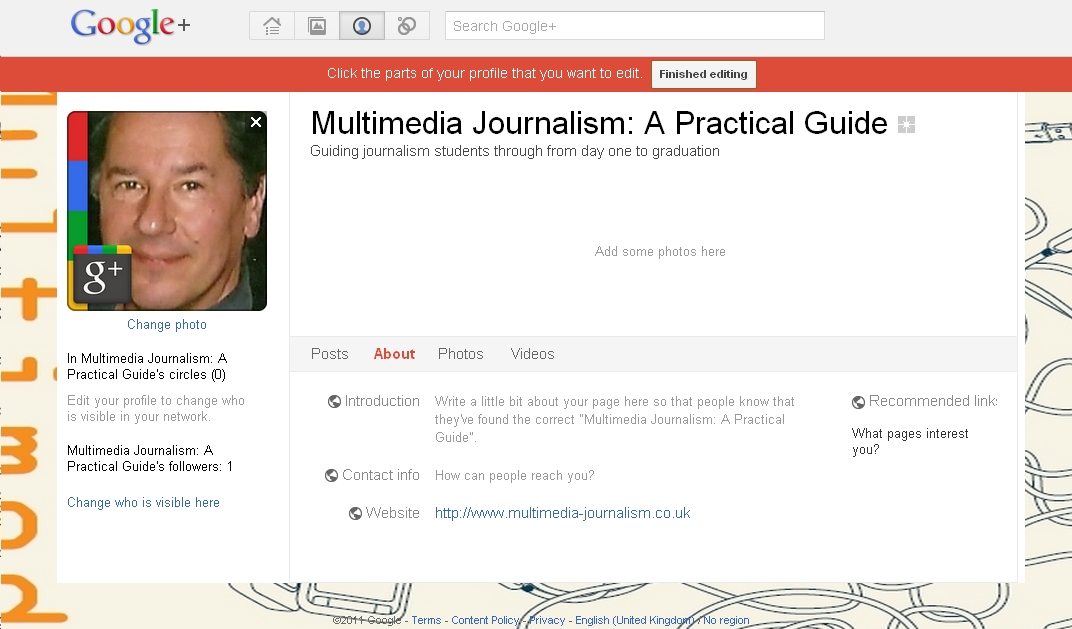
You can add text about what you do, photos and videos.
So you end up with a presence that has text about you, to which you can add photos and videos:
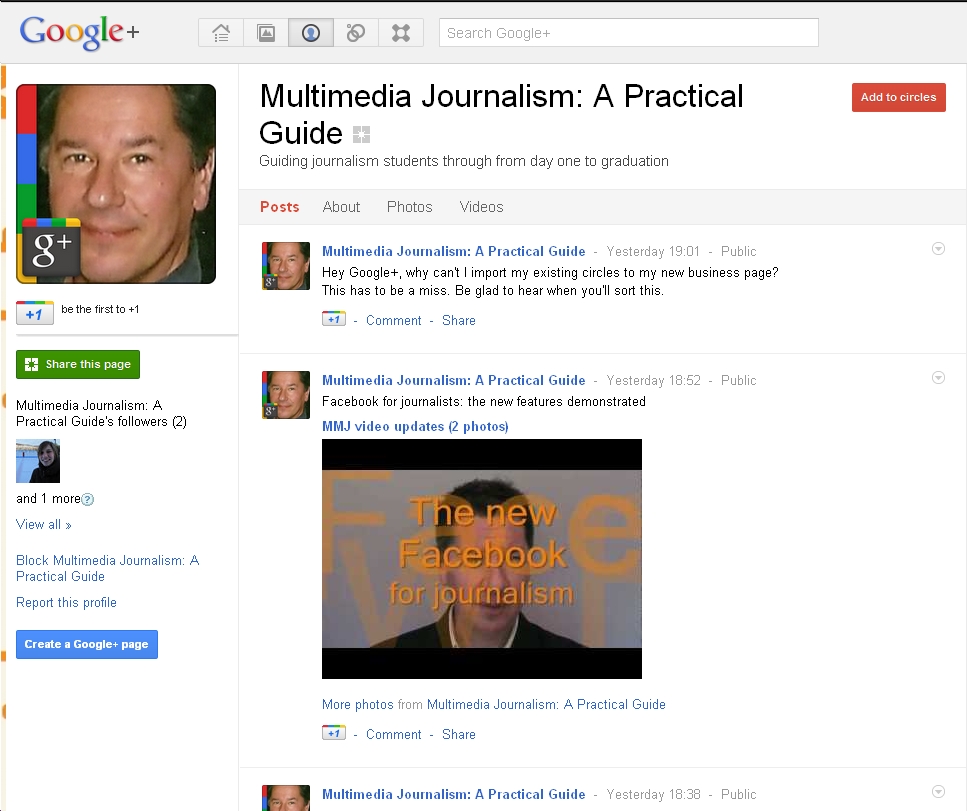
One frustration is that you don’t automatically have your existing circles added to your new page. This is such a miss that it must be sorted very soon. I’ll update here when it is.
Another is that using Google+ as yourself, and as you page, feel like entirely separate entities. Again, I'm sure sharing posts between the two will quickly be made easier, and I'll update here when it does.

For more on using Google+ for journalism, go here

Friday, 4 November 2011

Is Google+ deader than the digital-Dodo, or a rival to Twitter and Facebook?


The jury’s still out on Google+

Will it become the essential third social platform for journalism, alongside Twitter and Facebook?

Or will it fade, as previous, much-trumpeted Google features such as Buzz and Wave have done?

My hunch is it’s going to end up lagging third in the rank of usefulness to journalists for at least a year.

But I could be wrong. 

It may tank. 

When I checked how many of the 724 people in my circles were inactive, using the Uncircle+ app, almost a third hadn’t posted for a month.

That doesn’t look good.

So why bother with it?

Well, because I can’t see Google letting it die without a very hard fight.

Google+ is being positioned at the heart of Google’s operations. 

Google is integrating all other applications with it, in an effort to make it the essential social web-home where all is available.

Google has plenty of other apps it can integrate with it.

Reader has now been integrated, so that you can add any of the items you gathered in the Reader, from the RSS feeds we looked at in this Masterclass to your feed, and share them with your circles.

YouTube, which Google also owns, now appears as a tab to the right of your screen. Click on it and you’re asked: What do you want to play? 

Add a search term and you get a pop-up with relevant videos, plus a box asking what you’d like to play next.

And you can share the videos you watch with those in your Circles.

So, you can stay here for YouTube as well as Reader.

It follows, then, that Google+ is not just a social network: it is an effort to create a backbone for all Google services - and the full implications of that are only just becoming obvious.

As Adam Tinworth pointed out when I posted about inactive accounts on Google+: “People forget that in the early days of Twitter people would sign up and let their accounts go fallow for months. This is normal for the early stages of a new social service…”

For that reason, I believe it’s worth building our proficiency with it.

I’ll be posting a full masterclass on enhancing your use of Google+ for journalism soon. Check here for updates.

Friday, 28 October 2011

Using the new Facebook features for journalism: timeline profile, subscribe and share


andybull Twylah Fan Page
38A

Building proficiency with Facebook: MMJ Masterclass 38 (mp3)

Ever been driving down a new road and suddenly found you’ve caught up with the construction team?

That’s the sensation I’ve been getting using Facebook in the past couple of weeks

The Facebook construction team is laying down the social media equivalent of hot tarmac as fast as they can, but public launch has been delayed, and the cars are backing up impatiently, wanting to use this new stretch of road.
A lot's changed on Facebook.
You may have heard about Facebook Timeline, which replaces the old style profile.
If you haven’t don’t  worry.
We’ll cover it.
And we’ll look at the new ways a journalist can use this new-style timeline profile in conjunction with a fan page – like the ones we built in Masterclass 34
The developments mean you now not only have a place for your journalism - your fan page -  but also a more personal space for you as a journalist - your new-style timeline profile.
Because, while you can still invite fans to like your page, you can also now invite people to subscribe to your updates on your new-style timeline profile.
And you can now divide your Facebook community into distinct groups – not unlike the Circles concept on Google+ –  and post different content to different groups.
If it sounds complicated, that’s because it is!
But it also gives us a lot more potential for using Facebook for journalism.
So we’ll run through all the new stuff, and demonstrate how it can be used.

Fortunately, none of those changes invalidate anything we covered in Masterclass 34's Getting started with Facebook section.

But, just to check you are up to speed, and ready for this masterclass on Building Proficiency with Facebook, here’s what we covered in Getting Started:
  • Opening a Facebook account
  • Setting up a profile page for you as a journalist and a separate Facebook page for your journalism. (One quick point: profiles are now called timelines)
  • Posting content to Facebook – and what works best
  • Gaining friends on Facebook, and finding people to invite to view your page
  • Promoting your Facebook page with a content-rich widget on your website
  • Posting content on Facebook – what works best
  • Finding and researching stories on Facebook
If you need to fill in any gaps, and you are registered with MMJ, you can catch up on Getting Started here.

Here’s what we'll cover in the following modules: 


Next: Creating a timeline as your public profile

Wednesday, 19 October 2011

Thursday, 13 October 2011

How to take your use of social media to the next level: three linked masterclasses for journalists


andybull Twylah Fan Page
37-9

We're going to be running a series of MMJ masterclasses for journalists on building proficiency in social media over the next few weeks

They follow on from our masterclasses on Getting Started in Social Media

Here's a quick preview of our programme of learning:

These linked masterclasses form the second of three co-ordinated learning programmes and are part of a comprehensive guide to the use of social media for journalism
They fit into the second level of tuition at MMJ, the one called Building Proficiency
As such they sit alongside the other subjects that you'll find at the Building Proficiency level in the textbook and on this companion website.
This tuition is currently available exclusively on the website, but will be adapted for inclusion in future editions of the MMJ print and ebook.
After a few days free-to-air it will be available only to registered users of MMJ. The benefits of registration are outlined here. To register, you need to buy the textbook, in ether paper or ebook form.

Here are our learning goals: To develop and enhance the professional presences you have established for yourself, and/or the titles you work on, with the following social platforms:

  • Twitter
  • Facebook 9including all the recent developments on that platform)
  • Google+
  • You Tube
And to explore the benefits of building presences on other social platforms including:
  • Foursquare
  • Instagram
  • Digg
  • Delicious
  • Friendfeed

To demonstrate how to optimise your use of Twitter, Facebook, Google+ and YouTube in regard to:

  • The design and branding of your presence on each platform
  • Promoting these social media presences on your websites and blogs
  • Using a range of tools to optimise your effectiveness on them
  • Managing your social media accounts efficiently using a range of tools

To further develop your ability to use social media for story finding and research, and in identifying contacts and experts, through the use of  more advanced social media search tools.

Social media for reporting

A number of recent masterclasses have looked at how to use social media as reporting tools

Because of that, we aren't covering that topic here.
If you are registered with MMJ you can use these resources to gain a full, up-to-date guide to using social media for reporting:

Exercises and projects

The final units in each of these three, linked mastercalsses hold a series of exercises, designed to enable students to research the use of social media; and projects, designed to enable groups of students - or individuals - to hone their skills as social media journalists.

Further learning programmes

There is a Getting Started learning programme here
A further programme at the Professional Standards level is in the schedule. Check here for news of it.

LIVE from October 14: Masterclass 37: Building proficiency with Twitter

Wednesday, 12 October 2011

Why you should register with MMJ

When you register for Multimedia Journalism: A Practical Guide you get three things:

  • Full access to the website that complements the print / ebook textbook.
  • Unrestricted access to fortnightly masterclasses on the latest developments in social, mobile and multimedia journalism
  • Membership of the MMJ community – a supportive group of journalism students, journalists, educators and leading industry figures

Why do you need all that?
Because to really master multimedia journalism as a discipline you can’t rely solely on a print or ebook.
While the static text is invaluable as a means of understanding the essential, unchanging principles of journalism, you can’t fully grasp elements such as video, audio, and social media from text alone.
So the principles discussed in the book are demonstrated on the website, with illustrations in the appropriate media.

There’s another reason the online access subscribers get is so essential: the world of mobile, social, multimedia journalism is changing fast.

Only on the website can we can make sure things stay bang up to date. And we do, revising content regularly with the latest information, demonstrations and case studies.
And the online masterclasses cover new areas of journalism as they are developing. So you get detailed, practical demonstrations and tuition on the very latest developments.
Non-subscribers are only allowed access to each new masterclass for a few days. Subscribers have unlimited access to this invaluable learning and teaching resource.
So, for example, we covered using Google+ for journalism within days of this new social platform being launched in restricted beta. And offered 150 invitations to join it to MMJ subscribers.
As an MMJ subscriber, you can ask us to cover the areas of journalism that are most important to you. If there’s something you want to see included in the masterclass programme, let us know and we’ll do all we can to include it in the masterclass schedule.
And if you need help, we’re here for you. Contact the author, Andy Bull, via the contact buttons on the site, or @andybull on Twitter.

The benefits of adopting the book for your course

Many educators around the world have adopted the MMJ textbook and companion website as a set text for their journalism courses.
They are core members of the MMJ community, and as such are offered whatever level of support they would appreciate, such as:

  • free consultancy on syllabuses,
  • guest lectures either in person or via Skype, and
  • mentoring for students.

If you’re still undecided about subscribing, feel free to get in touch, via the Contact buttons or @andybull on Twitter, to discuss your requirements.

Saturday, 8 October 2011

Twitter widget embed example